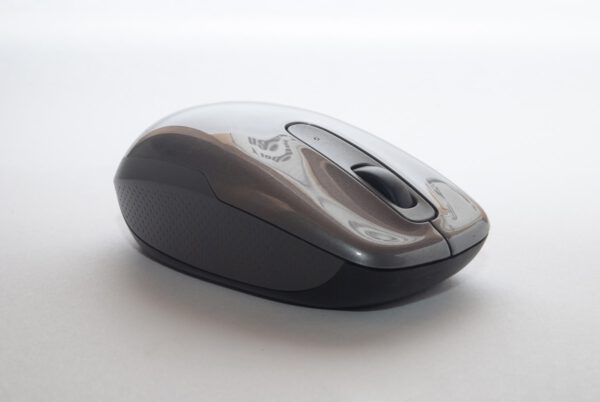
The MX Master 3S earns its place on every productivity desk with MagSpeed electromagnetic scrolling — a metal wheel with no physical resistance that glides from line-by-line scrolling to free-spin in a single flick, covering the length of a long document in under a second. It sounds frivolous until you spend a day scrolling through Figma files or code reviews, and then going back to a ratcheted scroll wheel feels like stepping down to a flip phone.
The 8,000 DPI Darkfield sensor tracks accurately on glass surfaces where most mice stop working, which solves the frosted glass desk problem cleanly. Near-silent click switches produce about 90% less audible click than standard switches — a practical consideration in shared office or library environments, and noticeably more comfortable during long typing sessions where the click impact travels up the index finger repeatedly.
Three-device Bluetooth pairing with instant switch via the button on the bottom means the MX Master 3S serves as a single mouse for a laptop, desktop, and iPad without wireless adapters for each. The full-size ergonomic body and thumb rest support neutral wrist and forearm positioning for extended use. One USB-C charge provides approximately 70 days of typical use — long enough that charging becomes an afterthought.
| Sensor | Darkfield High Precision — 200 to 8,000 DPI, glass-trackable |
|---|---|
| Scroll Wheel | MagSpeed electromagnetic — free-spin mode, line-by-line mode, auto-shift |
| Buttons | 7 (programmable via Logi Options+), near-silent clicks |
| Battery | 500 mAh — up to 70 days; USB-C fast charge (1 min → 3 hrs) |
| Connectivity | Logi Bolt USB receiver (included) + Bluetooth 5.1; 3-device pairing |
| Compatibility | Windows, macOS, iPadOS, ChromeOS, Linux |
| Weight | 4.97 oz (141 g) |
| Dimensions | 4.92 × 3.29 × 2.01 in |
| In the box | MX Master 3S, USB-C charging cable, Logi Bolt receiver |
Nathan Hughes –
Switched from a trackpad after years and this is the correct choice for precision work. The 8000 DPI sensor on glass is indistinguishable from a hard pad — I can use it directly on my glass desk without a mat. USB-C charging is the right call for a mouse in 2026.
Marcus Bell –
The MagSpeed scroll wheel is genuinely the killer feature. I work in large spreadsheets and long documents daily. Free-spin mode covers the entire document in a flick; precision mode gives line-by-line control. The near-silent clicks are noticeably more comfortable after 8 hours than my previous mouse. Three-device pairing with instant switch makes my desk cleaner.
Isabelle Roy –
Excellent productivity mouse. The thumb rest is perfectly positioned for neutral wrist angle. Flow multi-computer control via Logi Options+ is a clever feature that lets you move the cursor across two Macs as if they were one extended desktop. Slight deduction for the non-symmetrical design excluding left-handed users.